If you’ve seen errors like:
Uncaught (in promise) TypeError
or code that “works sometimes,” you’re dealing with async pitfalls.
This guide breaks down how async/await actually works, the most common errors, and a repeatable, step-by-step method to fix them fast.
How Async/Await Really Works (Quick Mental Model)
asyncfunctions always return a Promiseawaitpauses execution until the Promise resolvesErrors inside async functions become rejected Promises
Example:
async function getData() {
  return "Hello";
}
This actually returns:
Promise { "Hello" }
Understanding this is critical—most bugs happen when developers forget they’re dealing with Promises.
Most Common Async/Await Errors
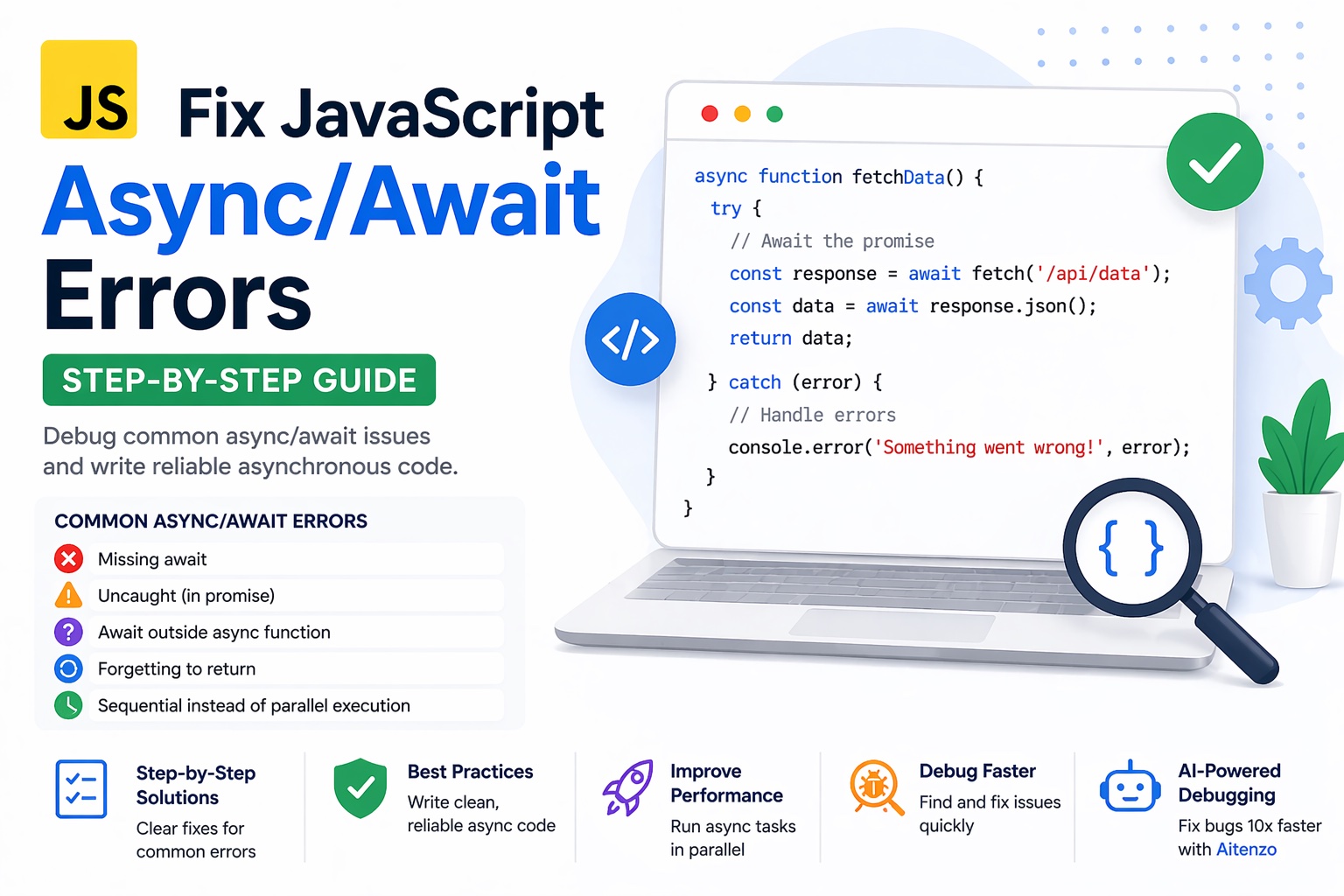
1. Missing await
async function fetchData() {
  let res = fetch("/api/data"); // ❌ missing await
  console.log(res);
}
Problem
res is a Promise, not actual data.
Fix
let res = await fetch("/api/data"); // ✅
2. “Uncaught (in promise)” Error
async function load() {
  let data = await fetch("/wrong-url");
}
load(); // ❌ error not handled
Problem
Errors inside async functions are not automatically caught.
Fix
Use try...catch:
async function load() {
  try {
    let data = await fetch("/wrong-url");
  } catch (err) {
    console.error(err);
  }
}
3. Await Outside Async Function
let data = await fetch("/api"); // ❌
Problem
await only works inside async functions.
Fix
async function init() {
  let data = await fetch("/api");
}
init();
4. Forgetting to Return in Async Function
async function getUser() {
  fetch("/api/user"); // ❌ no return
}
Problem
Function returns undefined instead of data.
Fix
async function getUser() {
  return await fetch("/api/user"); // ✅
}
5. Sequential Instead of Parallel Execution
let a = await fetch("/a");
let b = await fetch("/b"); // ❌ slow
Problem
Requests run one after another.
Fix (Parallel execution):
let [a, b] = await Promise.all([
  fetch("/a"),
  fetch("/b")
]);
6. Mixing .then() with await
let data = await fetch("/api").then(res => res.json()); // ⚠️ messy
Problem
Mixing patterns leads to confusion.
Fix
Stick to one style:
let res = await fetch("/api");
let data = await res.json();
7. Silent Failures (No Error Handling)
async function run() {
  await riskyFunction(); // ❌ no catch
}
Problem
Errors disappear or crash silently.
Fix
Always handle errors:
try {
  await riskyFunction();
} catch (e) {
  console.error(e);
}
Step-by-Step Debugging Method (Use This Every Time)
Step 1: Check If You're Missing await
Search for:
fetch(), axios(), Promise
If no await → that’s likely the issue.
Step 2: Log the Value
console.log(result);
If you see:
Promise { <pending> }
→ You forgot await.
Step 3: Wrap in Try/Catch
This immediately reveals hidden errors:
try {
  await fn();
} catch (e) {
  console.error(e);
}
Step 4: Validate Function Type
console.log(typeof fn);
Make sure:
It’s a function
It returns a Promise
Step 5: Check Execution Order
Async bugs often come from:
Race conditions
Data not ready yet
Step 6: Use AI for Instant Diagnosis
Instead of manually tracing async flows, tools like:
Aitenzo
ChatGPT
can:
Detect missing
awaitIdentify improper Promise handling
Suggest optimized async patterns
This is especially useful for complex async chains.
Real Example: Fixing Async Bug
Broken Code
async function getPosts() {
  let res = fetch("/api/posts");
  let data = res.json();
  return data;
}
Issues
Missing
await(twice)
Fixed Code
async function getPosts() {
  let res = await fetch("/api/posts");
  let data = await res.json();
  return data;
}
Advanced Tip: Avoid Overusing Await
Bad:
await fn1();
await fn2();
await fn3();
Better:
await Promise.all([fn1(), fn2(), fn3()]);
This improves performance significantly.
Prevent Async Bugs Before They Happen
1. Use ESLint Rules
Catch:
Missing await
Unhandled promises
2. Use TypeScript
Ensures:
Correct return types
Promise handling
3. Keep Async Functions Small
Smaller functions = easier debugging.
4. Always Handle Errors
Never leave async calls unprotected.
Developer Insight
Async/await errors are rarely complex—they’re usually:
Missing
awaitImproper error handling
Misunderstanding of Promises
Once you adopt a structured debugging approach and combine it with tools like Aitenzo, fixing async issues becomes predictable, fast, and far less frustrating.