Parse error: syntax error, unexpected '...'
It’s one of the most common—and most frustrating—errors because your script doesn’t run at all. Unlike warnings or notices, a parse error stops execution immediately, leaving you with nothing but a message and a line number.
The upside: parse errors are deterministic and fixable. Once you understand how PHP parses code, you can identify and resolve them quickly.
What Is a PHP Parse Error?
A parse error occurs when PHP fails to understand your code syntax during compilation (before execution).
In simple terms:
PHP reads your code and says, “This doesn’t follow the language rules.”
Example:
<?php
echo "Hello World"
?>
Error:
Parse error: syntax error, unexpected end of file
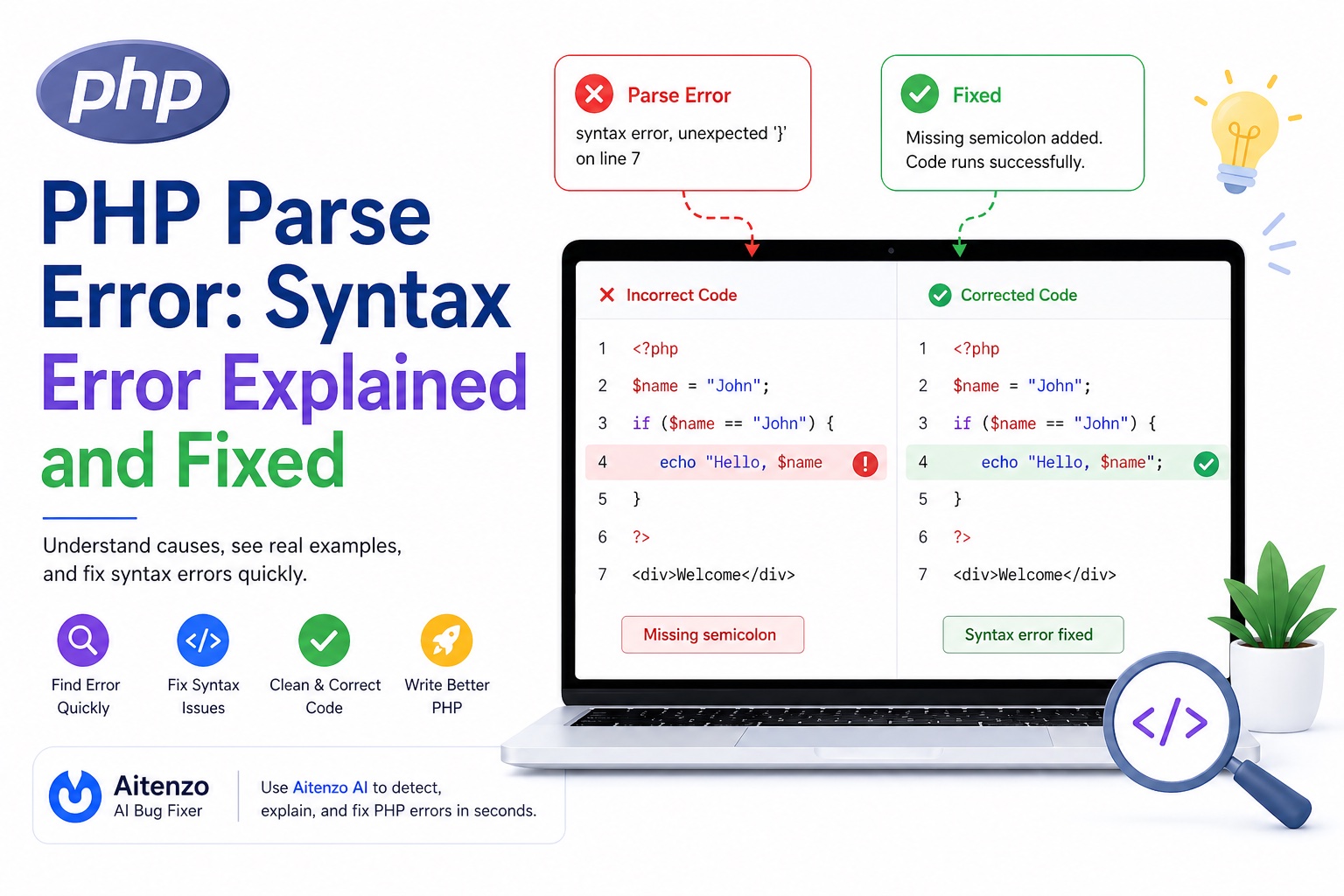
The issue? A missing semicolon.
Why Parse Errors Happen
PHP expects strict syntax rules. Even a small mistake can break parsing.
Common causes include:
Missing semicolons
;Unclosed quotes
" 'Unmatched brackets
{ } ( )Incorrect array syntax
Invalid variable usage
Most Common Parse Errors (With Fixes)
1. Missing Semicolon
<?php
echo "Hello"
Fix:
echo "Hello";
PHP requires every statement to end with ;.
2. Unclosed Quotes
<?php
echo "Hello;
Error:
unexpected end of file
Fix:
echo "Hello";
Always close strings properly.
3. Unexpected Token
<?php
if ($x == 10 {
  echo "Yes";
}
Error:
unexpected '{'
Fix:
if ($x == 10) {
  echo "Yes";
}
Missing parentheses is a common cause.
4. Unmatched Brackets
<?php
function test() {
  echo "Hello";
Error:
unexpected end of file
Fix:
function test() {
  echo "Hello";
}
Always balance {} and ().
5. Incorrect Array Syntax
<?php
$arr = [1, 2, 3,];
Older PHP versions may throw errors here.
Fix:
$arr = array(1, 2, 3);
Or ensure compatibility with your PHP version.
6. Using Reserved Keywords Incorrectly
<?php
class = "Test";
Error:
unexpected '='
Fix:
$myClass = "Test";
Reserved keywords cannot be used as variable names.
7. Mixing PHP and HTML Incorrectly
<?php
echo "<h1>Hello</h1>"
<div>Test</div>
Fix:
echo "<h1>Hello</h1>";
?>
<div>Test</div>
Always close PHP tags properly.
How to Fix Parse Errors Step-by-Step
Step 1: Read the Error Message Carefully
Example:
Parse error: syntax error, unexpected '}', expecting ';' in index.php on line 10
This tells you:
File →
index.phpLine → 10
Issue → missing
;before}
Step 2: Check the Line Above (Not Just the Line Mentioned)
PHP often reports the error where it detects it—not where it starts.
If line 10 fails, check:
Line 9
Line 8
Step 3: Look for These Patterns
Quick checklist:
Missing
;Unclosed
" 'Extra/missing
{}Incorrect
()
Step 4: Use Proper Indentation
Bad formatting hides errors:
if($x==10){echo "Yes";}
Better:
if ($x == 10) {
  echo "Yes";
}
Readable code = faster debugging.
Step 5: Use an IDE or Linter
Modern editors instantly highlight syntax issues:
VS Code
PHPStorm
They catch errors before execution.
Step 6: Use AI to Fix Errors Instantly
Instead of manually scanning code, tools like:
Aitenzo
ChatGPT
can:
Detect syntax issues instantly
Highlight exact fixes
Suggest corrected code
This is especially useful for:
Large files
Nested logic
Legacy PHP projects
Real Example: Debugging a Parse Error
Broken Code
<?php
function greet($name) {
  echo "Hello " . $name
}
Error
unexpected '}'
Fix
function greet($name) {
  echo "Hello " . $name;
}
The missing semicolon caused the parser to fail.
Prevent Parse Errors Before They Happen
1. Always End Statements with ;
2. Use Consistent Formatting
3. Validate Code Incrementally
Run code in small parts instead of large chunks.
4. Avoid Copy-Paste Without Review
Hidden characters or mismatched syntax often come from copied code.
5. Enable Error Reporting During Development
error_reporting(E_ALL);
ini_set('display_errors', 1);
Developer Insight
Parse errors are not “complex bugs”—they’re syntax violations. The challenge isn’t fixing them, it’s finding them quickly.
Once you train yourself to:
Read error messages correctly
Check surrounding lines
Recognize common patterns
You can resolve most parse errors in seconds.
And when combined with tools like Aitenzo, even large, messy files become easy to debug with precision.