The upside: most JavaScript bugs follow repeatable patterns. Once you recognize them, fixes become fast and predictable.
Here’s a practical breakdown of the top 10 JavaScript bugs developers face, along with precise fixes you can apply immediately.
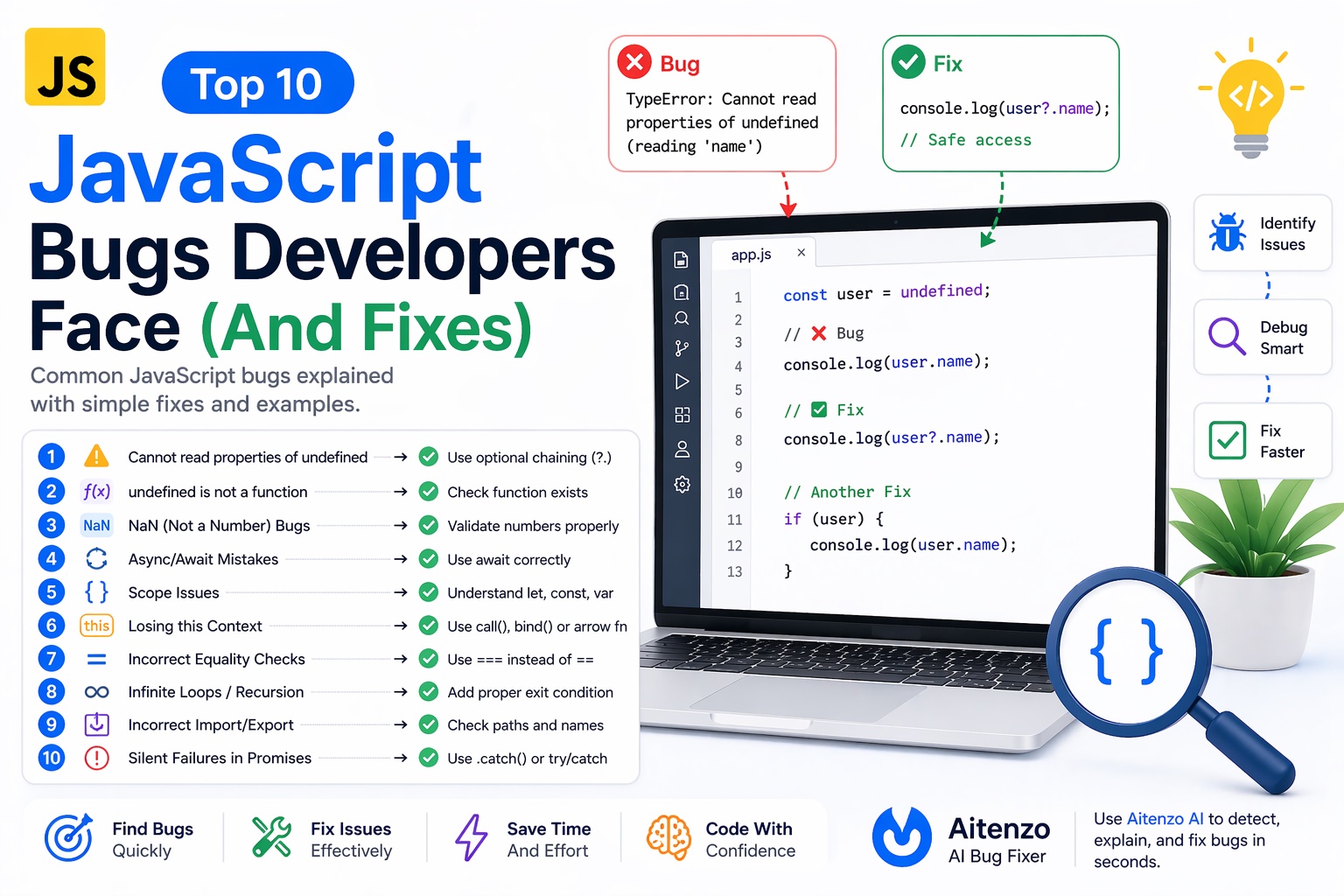
1. undefined is not a function
let user = {};
user.getName(); // ❌
Why it happens
You’re calling something that doesn’t exist or isn’t a function.
Fix
Verify the method exists
Check object structure
Confirm imports
user.getName = () => "John";
user.getName(); // ✅
2. Cannot read properties of undefined
let user;
console.log(user.name); // ❌
Why it happens
You’re accessing properties on undefined or null.
Fix
console.log(user?.name); // ✅ safe access
3. NaN (Not a Number) Bugs
let result = "10" * "abc"; // NaN
Why it happens
Invalid numeric operations.
Fix
let num = Number("10");
if (!isNaN(num)) {
  // safe logic
}
4. Async/Await Mistakes
let data = fetch("/api"); // ❌ missing await
Why it happens
Working with a Promise instead of resolved data.
Fix
let data = await fetch("/api"); // ✅
5. Scope Issues (Block vs Global)
if (true) {
  let x = 10;
}
console.log(x); // ❌
Why it happens
let and const are block-scoped.
Fix
Define variables in the correct scope.
6. Losing this Context
const obj = {
  name: "John",
  getName() {
    return this.name;
  }
};

const fn = obj.getName;
fn(); // ❌
Fix
fn.call(obj); // ✅
7. Incorrect Equality Checks (== vs ===)
0 == false // true ❌
Why it happens
Loose equality performs type coercion.
Fix
0 === false // false ✅
Always use strict equality.
8. Infinite Loops / Recursion Errors
function loop() {
  loop(); // ❌
}
Why it happens
No termination condition.
Fix
function loop(n) {
  if (n <= 0) return;
  loop(n - 1);
}
9. Incorrect Import/Export
// utils.js
export function sum() {}

// main.js
import { add } from './utils.js'; // ❌
Fix
import { sum } from './utils.js'; // ✅
10. Silent Failures in Promises
fetch("/wrong-url")
  .then(res => res.json()); // ❌ no catch
Why it happens
Unhandled promise rejection.
Fix
fetch("/wrong-url")
  .then(res => res.json())
  .catch(err => console.error(err));
Or use async/await with try/catch.
Fast Debugging Strategy for All These Bugs
When any of these issues appear, follow this exact flow:
1. Read the Error Message
It tells you:
Type
Location
Context
2. Inspect the Value
console.log(variable, typeof variable);
3. Check Assumptions
Ask:
Is this defined?
Is it the right type?
Is it loaded?
4. Use DevTools
Breakpoints
Network tab
Call stack
5. Use AI to Fix Instantly
Instead of manually tracing every bug, tools like:
Aitenzo
ChatGPT
can:
Identify root cause
Suggest exact fix
Optimize your code
This is especially powerful for:
Async bugs
Logic errors
Complex state issues
Pro Insight: Most Bugs Are Predictable
These 10 issues cover a large percentage of real-world JavaScript bugs.
They usually come down to:
Wrong assumptions
Missing context
Improper async handling
Type confusion
Once you train yourself to recognize these patterns—and combine that with AI tools like Aitenzo—debugging becomes faster, more structured, and far less frustrating.